
// Network installation
Network, Cabling & Wi-Fi Installation
Structured cabling, switches, firewalls and business Wi-Fi, installed so every cable is labelled and every setting is written down.
// Overview
A Network You Never Have to Think About
The network is the part of the office nobody looks at until it stops. Then nothing works: email, phones, payments, the shared drive, the printer. A lot of Surrey offices are running on a router their internet provider dropped off years ago and a tangle of cables nobody has labelled.
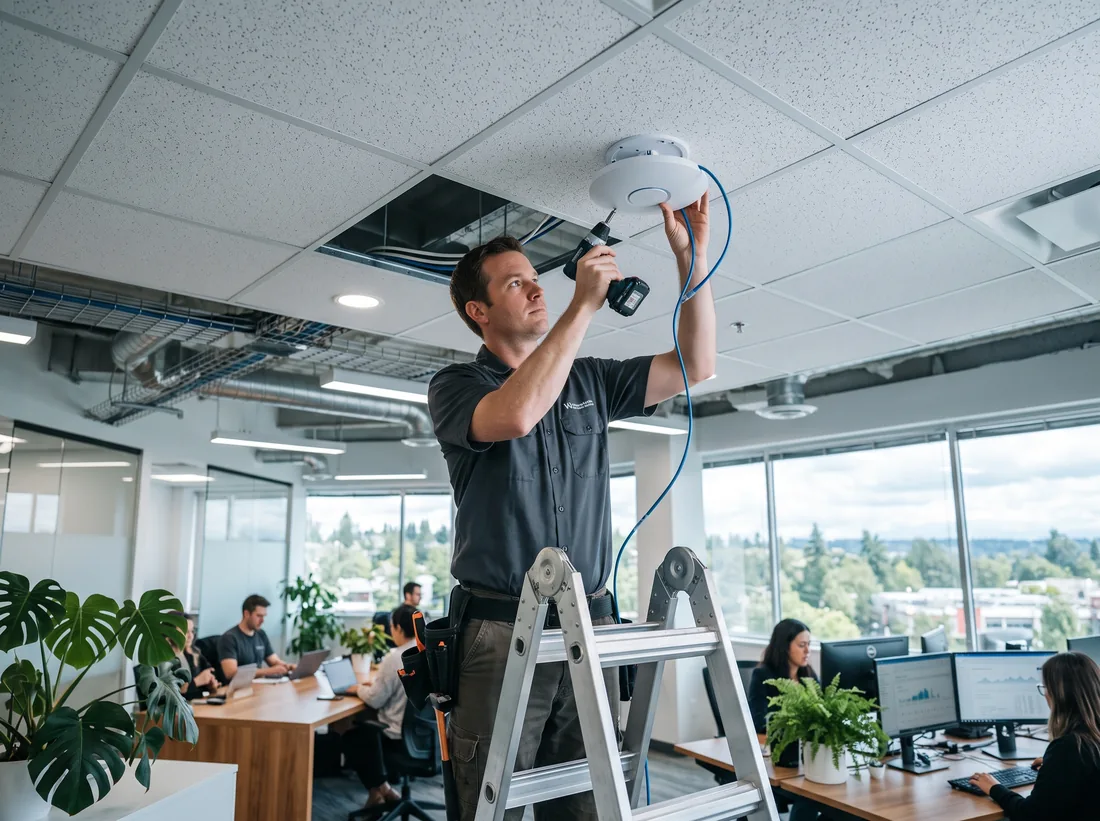
We design and install business networks from the wall jack up. That means Cat6 network drops pulled, terminated, tested and labelled; a patch panel and rack so the closet makes sense; managed switches; a business firewall; and Wi-Fi access points placed where your people actually work, from a three-desk office in City Centre to a warehouse floor in Campbell Heights.
Already have a network that misbehaves? We troubleshoot that too: dropouts, slow file transfers, double NAT, IP conflicts, VPNs that disconnect. Then we fix what’s broken and document the rest.
Call 604-359-5284 to talk through your space, or send us a floor plan and we’ll come back with a plan and a price.
// Jobs we do
What We Install
Structured cabling
Cat6 and Cat6A drops to desks, printers, access points and cameras, terminated, tested and labelled both ends.
Racks & patch panels
Wall or floor racks, patch panels and cable management, so a technician can trace any port in seconds.
Business Wi-Fi
Ceiling-mounted access points with one network name across the building, a separate guest network and roaming that doesn’t drop calls.
Firewalls
A business firewall in place of the ISP router, with secure remote access for staff who work from home.
Switches & PoE
Managed switches that power access points and desk phones over the network cable.
Separate networks
Staff, guests, phones and cameras kept on their own networks, so one problem can’t spread to the rest.
// Spec sheet
What a Proper Install Includes
| Item | What you get |
|---|---|
| Cabling | Cat6 drops terminated both ends, each one tested and labelled |
| Rack | Patch panel, cable management and short, tidy patch leads |
| Firewall | Business firewall in place of the ISP router, remote access for staff |
| Switching | Managed PoE switches sized for today plus room to grow |
| Wi-Fi | Access points placed from a coverage check, one network name, guest network |
| Separation | Staff, guest, phone and camera traffic on separate networks |
| Handover | Port map, settings, passwords and a diagram you keep |
// Moving offices
Office Move Checklist
- −8 wk
Order internet
Business lines can take weeks to install. Book your number transfer at the same time.
- −4 wk
Walk the new space
Plan drops, the rack location and access points while the space is empty.
- −2 wk
Cable and mount
Cabling, rack and Wi-Fi installed before desks and furniture arrive.
- Move
Switch over
Firewall, phones and computers moved and tested, usually over a weekend.
- Day 1
On site first thing
A technician there the first morning for anything that needs a tweak.
// Symptoms
Network Problems We Fix
- Wi-Fi drops in some rooms
- Usually too few access points, or consumer mesh units fighting each other. A short survey shows where coverage really ends.
- Everything slows down mid-afternoon
- Often one device saturating the connection, or a switch that has failed half-way. We find it from the logs.
- Nobody knows which cable goes where
- We trace, label and document the closet, and replace damaged patch leads while we’re there.
- Remote staff can’t connect
- VPNs set up years ago on hardware that’s now out of support. We replace them with something secure and simple.
- The internet goes down, so does the business
- A second internet connection with automatic failover keeps phones and payments running.
// Pricing
What It Typically Costs
| Item | Typical Surrey range | Notes |
|---|---|---|
| Cat6 network drop | $175–$350 | installed, tested, labelled |
| Wi-Fi access point | $250–$450 labour | hardware $200–$700 |
| Troubleshooting | $125–$185 / hr | onsite |
Typical Surrey ranges, CAD before tax. Onsite and install work is quoted before it starts. How pricing works
// How a job runs
How a Job Runs
Every job, big or small, follows the same four steps.
- T+0
Call or book
Tell us what’s wrong or what you need set up. Phone, the form, or email.
- T+1h
Triage
A technician looks at it, asks the right questions and connects remotely if that’s the fastest fix.
- T+1d
Fix or visit
Most problems are fixed remotely. If it needs hands, we book a visit and confirm the price first.
- Close
Written summary
What was wrong, what we did, and anything to watch. Kept on file for next time.
// FAQ
Network & Wi-Fi Questions
How much does network cabling cost?
Typical Surrey pricing is $175–$350 per Cat6 drop, installed, tested and labelled with cable and jacks included. Old buildings, concrete walls, long runs and after-hours work push it up. We quote after a site visit.
Can you install while we’re working?
Usually, yes. Cabling is noisy and involves ladders, so we plan the work around your busiest areas, and switch-over work happens early, late or on a weekend so nobody loses the network during the day.
Do we need business-grade Wi-Fi?
If more than a handful of people rely on it, yes. Business access points handle many more devices, roam properly between rooms, and can be managed centrally. Consumer mesh kits are fine at home but struggle in offices and warehouses.
Will you work with our internet provider?
Yes. We can order or move service on your behalf, configure your firewall for it, and set up a second connection for failover.
Areas We Serve
Network, Cabling & Wi-Fi Installation for businesses across Surrey and nearby cities.
Other Services
- IT Support & TroubleshootingRemote fixes same business day, onsite when it needs hands.
- Computer, Laptop & Printer SetupNew computers and printers set up, secured and ready on day one.
- Microsoft 365 & Business Email SetupBusiness email, Teams and SharePoint set up or moved without losing mail.
- Business Phone System (VoIP) InstallationVoIP desk phones, softphones and keeping your existing numbers.
- Backup, Server & Data RecoveryBackups that restore, servers that stay up, data moved safely.
// Ready when you are
Tell us what’s broken, or what needs setting up.
Remote help the same business day, onsite across Surrey, and a price before any work starts. No contract needed.