
// Workstation setup
Computer, Laptop & Printer Setup
New staff starting Monday? Ten laptops in boxes? We set them up, move the data, connect the printers and hand them over ready to work.
// Overview
New Computers, Ready on Day One
Setting up a business computer properly takes longer than unboxing it. Windows updates, the right apps, Microsoft 365 sign-in, OneDrive, shared drives, printers, security software, encryption, the old computer’s files. Done in a rush on someone’s first morning, half of it gets missed.
We do it on the bench before it reaches the desk. Every computer is updated, configured to the same standard, signed in to your Microsoft 365, encrypted and checked, then delivered and connected. When a computer is being replaced, we move the data and settings across and wipe the old one securely.
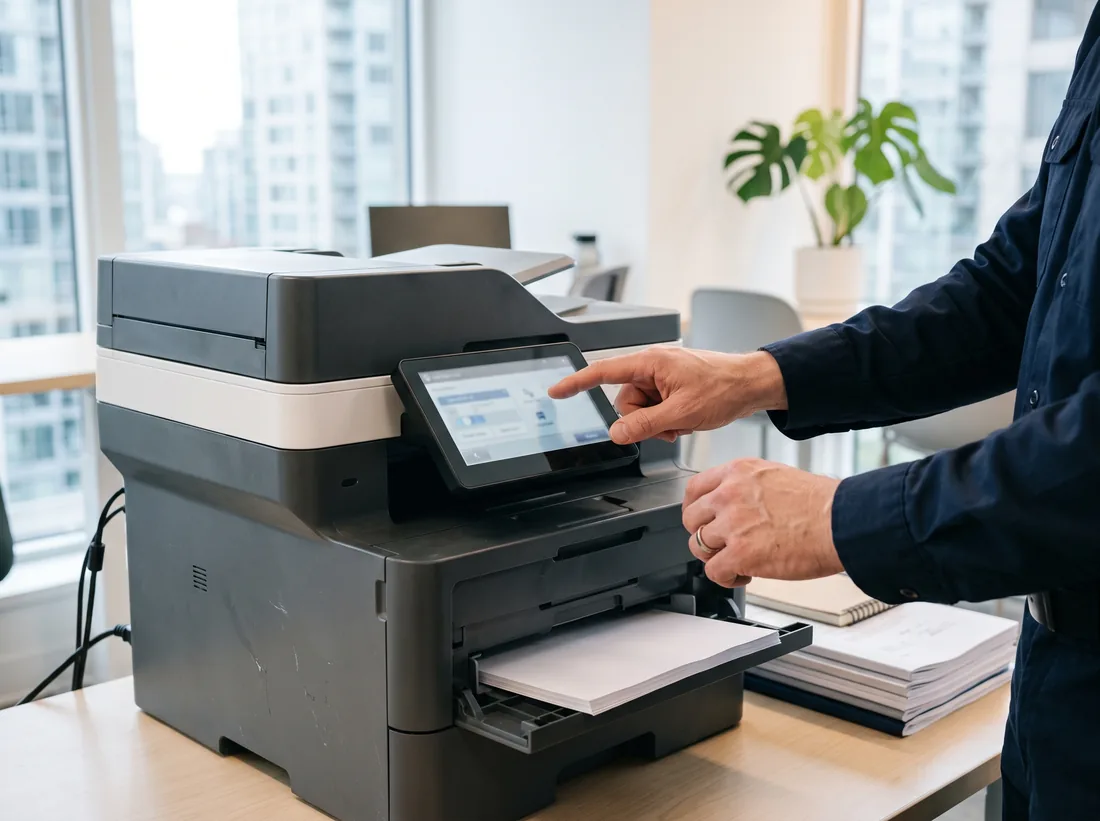
We also look after the rest of the desk: docking stations, monitors, scanners and printers, including the network multifunction printer that everyone shares and nobody can get scan-to-email working on.
Call 604-359-5284 with how many computers you need set up and when people start.
// Jobs we do
What We Set Up
New computers & laptops
Windows or Mac, updated, with your apps installed and everything configured the same way across the office.
Staff onboarding
Accounts, email, Teams, shared drives and the right permissions, ready before the new person arrives.
Data transfer
Files, browser bookmarks, email signatures and settings moved from the old computer to the new one.
Windows 11 upgrades
Compatibility checks, in-place upgrades where the hardware allows, and replacement plans where it doesn’t.
Printers & scanners
Network printers installed on every computer, scan-to-email and scan-to-folder set up and tested.
Offboarding & disposal
Accounts closed, data kept or handed over, and old drives wiped before the hardware leaves the building.
// Bench standard
Every Computer Leaves the Bench With…
- 01Latest Windows or macOS updates installed
- 02Your standard apps installed and licensed
- 03Signed in to Microsoft 365, OneDrive syncing
- 04Drive encryption switched on
- 05Security software running and reporting
- 06Printers and shared drives connected
- 07Old computer’s files and settings moved across
- 08Asset tag and serial number recorded for you
// Windows 11
Still Running Windows 10?
Windows 10 support ended on 14 October 2025. Computers still running it no longer get security fixes unless the business pays for Extended Security Updates, and the free consumer extension isn’t offered on PCs managed by a business.
We check every computer in the office, upgrade the ones that meet Windows 11’s requirements, and price replacements for the ones that don’t, so you can plan the spend instead of facing it all at once.
Read the full guide: Windows 10 end of life, what Surrey businesses should do now, with dates, costs and the four options.
// Symptoms
Setup Jobs We Get Called For
- “Someone starts Monday and we have nothing ready.”
- Computer, accounts, email and access sorted before they arrive, with a checklist so it’s the same next time.
- “Our computers can’t run Windows 11.”
- We check every machine, upgrade the ones that qualify and price replacements for the rest. See our Windows 10 guide.
- “Scan-to-email stopped working.”
- Usually a mailbox security change. We switch the printer to a supported method so it keeps working.
- “Every computer is set up differently.”
- We build one standard and apply it, so problems are easier to fix and new machines take minutes, not hours.
- “What do we do with the old laptops?”
- Securely wiped and either redeployed, donated or recycled, with a record of which drive was cleared.
// Pricing
What It Typically Costs
| Item | Typical Surrey range | Notes |
|---|---|---|
| New computer setup | $125–$250 | per computer, hardware extra |
| Printer / scanner install | $125–$185 / hr | usually 1–2 hours |
| Windows 11 upgrade check | $100–$150 / hr | remote, per batch |
Typical Surrey ranges, CAD before tax. Onsite and install work is quoted before it starts. How pricing works
// How a job runs
How a Job Runs
Every job, big or small, follows the same four steps.
- T+0
Call or book
Tell us what’s wrong or what you need set up. Phone, the form, or email.
- T+1h
Triage
A technician looks at it, asks the right questions and connects remotely if that’s the fastest fix.
- T+1d
Fix or visit
Most problems are fixed remotely. If it needs hands, we book a visit and confirm the price first.
- Close
Written summary
What was wrong, what we did, and anything to watch. Kept on file for next time.
// FAQ
Computer Setup Questions
How much does it cost to set up a new computer?
Typically $125–$250 per computer for imaging, apps, data transfer and Microsoft 365 sign-in, plus the hardware. Larger batches are quicker per machine.
Can you buy the computers for us?
Yes. We recommend business-grade models that suit the work, source them, and set them up before delivery. You can also buy your own and we’ll set them up.
Do you support Macs?
Yes, alongside Windows. Many Surrey offices run a mix, and we set both up to the same standard for email, files and printers.
What happens to our old computers?
We move the data off, then wipe the drives with a secure erase so nothing is recoverable. You decide whether they’re reused, donated or recycled.
Areas We Serve
Computer, Laptop & Printer Setup for businesses across Surrey and nearby cities.
Other Services
- IT Support & TroubleshootingRemote fixes same business day, onsite when it needs hands.
- Network, Cabling & Wi-Fi InstallationCabling, switches, firewalls and Wi-Fi that reaches every corner.
- Microsoft 365 & Business Email SetupBusiness email, Teams and SharePoint set up or moved without losing mail.
- Business Phone System (VoIP) InstallationVoIP desk phones, softphones and keeping your existing numbers.
- Backup, Server & Data RecoveryBackups that restore, servers that stay up, data moved safely.
// Ready when you are
Tell us what’s broken, or what needs setting up.
Remote help the same business day, onsite across Surrey, and a price before any work starts. No contract needed.