
// Business phones · VoIP
Business Phone System Installation
Replace the old phone system with VoIP desk phones and softphones, keep your existing numbers, and stop paying for lines you don’t use.
// Overview
Phones That Follow Your People
A VoIP phone system runs your calls over the internet instead of copper lines. Desk phones plug into the network, staff can answer the same extension on a laptop or mobile app, and changes like a new auto attendant message or a holiday schedule take minutes instead of a service call.
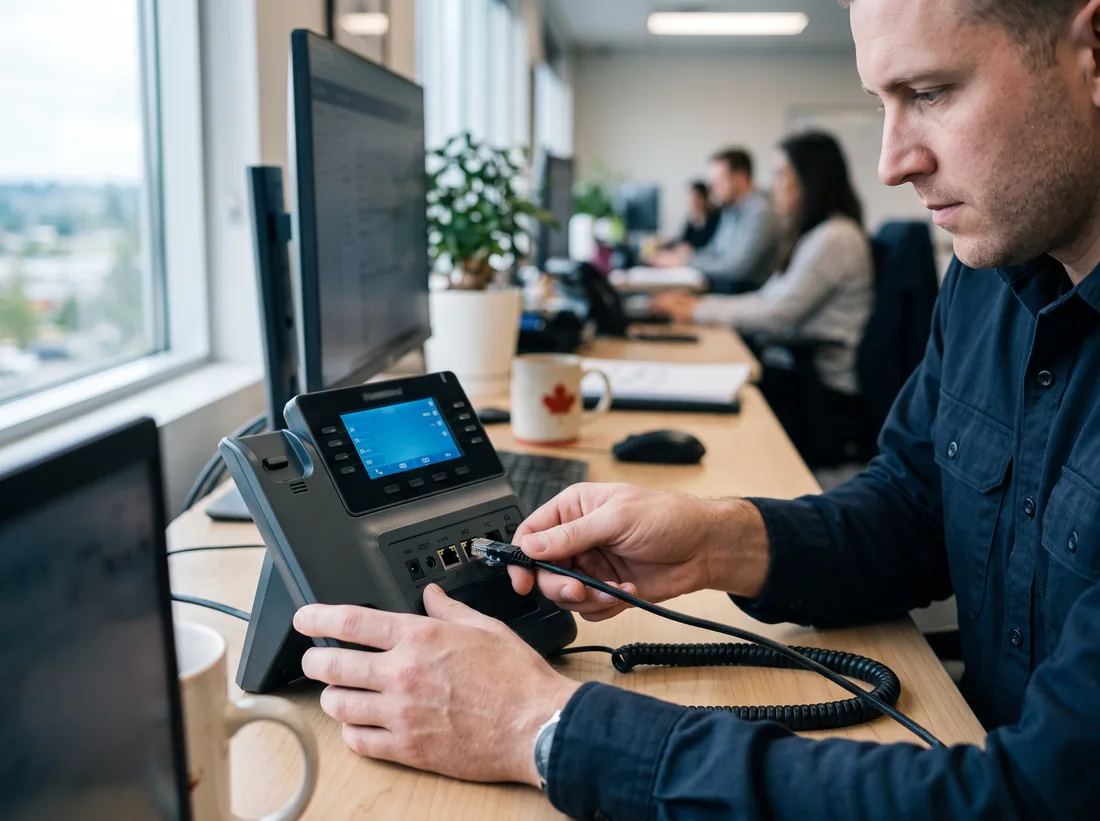
We install the whole thing: we check your internet and network can carry calls cleanly, set up the system and its call flows, port your existing numbers across, and install and test every handset. Because we also do networks, we put phones on their own network with the right priority, which is what stops choppy audio.
For businesses moving offices, the phone system often goes in first, so the number moves with you and nobody misses a call during the move.
Call 604-359-5284 and tell us how many phones and numbers you have today.
// Jobs we do
What We Install
Desk phones & headsets
Handsets configured, labelled and tested at every desk, with wireless headsets where people move around.
Softphones
The same extension on laptops and mobiles, so remote and hybrid staff are always reachable.
Auto attendant & queues
“Press 1 for sales” menus, ring groups, business-hours schedules and voicemail to email.
Number porting
Your existing main number and direct lines moved across, with the cut-over timed so nothing drops.
Network readiness
Bandwidth checked, a separate voice network and call priority set on your firewall and switches.
Paging & door phones
Overhead paging in warehouses and door intercoms connected to the same system.
// Spec sheet
What a VoIP System Needs
| Item | Why it matters |
|---|---|
| Internet | About 100 kbps each way per call with the common codec. Capacity matters less than giving voice priority |
| PoE switch | Powers desk phones over the network cable, so there’s no adapter at every desk |
| Voice network | Phones on their own network with priority, which prevents choppy audio |
| Handsets & headsets | Desk phones for fixed seats, wireless headsets for people who move |
| Apps | Softphones on laptops and mobiles for remote and hybrid staff |
// Keeping your numbers
How Number Porting Works
- 01
Gather the details
A recent bill from your current carrier, the account number and the numbers to move.
- 02
Submit the port
The new provider requests the numbers. Usually one to two weeks once the old carrier releases them.
- 03
Set up in parallel
Phones installed and tested on temporary numbers while the port completes.
- 04
Port day
Calls switch to the new system. We test inbound and outbound and cancel the old lines.
// Symptoms
Phone Problems We Fix
- Choppy or one-way audio
- Almost always the network: no priority for voice, a busy connection or a firewall setting. Fixed at the source.
- Calls dropping after a few minutes
- A firewall timing out the call. We set it correctly for your provider.
- Paying for lines nobody uses
- Old copper lines and unused extensions billed for years. We audit and cancel what isn’t needed.
- Nobody can change the greeting
- We set up admin access and show you how to change messages and hours yourself.
- Missed calls when the office is closed
- After-hours routing, voicemail to email and mobile apps so the right person hears about it.
// Pricing
What It Typically Costs
| Item | Typical Surrey range | Notes |
|---|---|---|
| Handset setup & install | $100–$200 | per handset |
| Desk phone | $150–$400 | hardware, each |
| Network readiness check | $125–$185 / hr | before install |
Typical Surrey ranges, CAD before tax. Onsite and install work is quoted before it starts. How pricing works
// How a job runs
How a Job Runs
Every job, big or small, follows the same four steps.
- T+0
Call or book
Tell us what’s wrong or what you need set up. Phone, the form, or email.
- T+1h
Triage
A technician looks at it, asks the right questions and connects remotely if that’s the fastest fix.
- T+1d
Fix or visit
Most problems are fixed remotely. If it needs hands, we book a visit and confirm the price first.
- Close
Written summary
What was wrong, what we did, and anything to watch. Kept on file for next time.
// FAQ
Phone Systems Questions
Can we keep our phone numbers?
Yes. Numbers are ported from your current carrier to the new provider. It usually takes one to two weeks once your current carrier releases them, and we time the switch so calls keep coming in.
What does a VoIP install cost?
Typically $100–$200 per handset to configure and install, plus the handsets themselves at around $150–$400 each. Monthly phone service is billed separately by the provider.
Is our internet good enough?
Most business connections are. A call uses roughly 100 kbps in each direction with the common codec, so the bigger concern is a busy connection without voice priority. We test before we install.
What happens if the internet goes down?
Calls can forward automatically to mobiles, and a second internet connection keeps the phones up. We set up whichever fits your business.
Areas We Serve
Business Phone System (VoIP) Installation for businesses across Surrey and nearby cities.
Other Services
- IT Support & TroubleshootingRemote fixes same business day, onsite when it needs hands.
- Network, Cabling & Wi-Fi InstallationCabling, switches, firewalls and Wi-Fi that reaches every corner.
- Computer, Laptop & Printer SetupNew computers and printers set up, secured and ready on day one.
- Microsoft 365 & Business Email SetupBusiness email, Teams and SharePoint set up or moved without losing mail.
- Backup, Server & Data RecoveryBackups that restore, servers that stay up, data moved safely.
// Ready when you are
Tell us what’s broken, or what needs setting up.
Remote help the same business day, onsite across Surrey, and a price before any work starts. No contract needed.